User Research Scheduler
Recruits and schedules user research participants from your customer base. Sends screening surveys, coordinates calendars, sends reminders, and manages.
Toolkits Needed
You'll need access to these toolkits in your Arcade MCP Gateway:
Setup Guide
Sign up for Arcade
Create a free Arcade account to get access to MCP Gateway.
Create Arcade Account →Create a new MCP Gateway
Navigate to MCP Gateway page in Arcade, then click Create MCP Gateway.
Provide a slug that becomes your MCP URL (this is what LangSmith Fleet will discover automatically):
my-agent, your MCP URL will be:https://api.arcade.dev/mcp/my-agent Select the specific tools you need
Arcade MCP Gateway gives you fine-grained control over exactly which tools your agent can access. Select these specific tools from the toolkits:
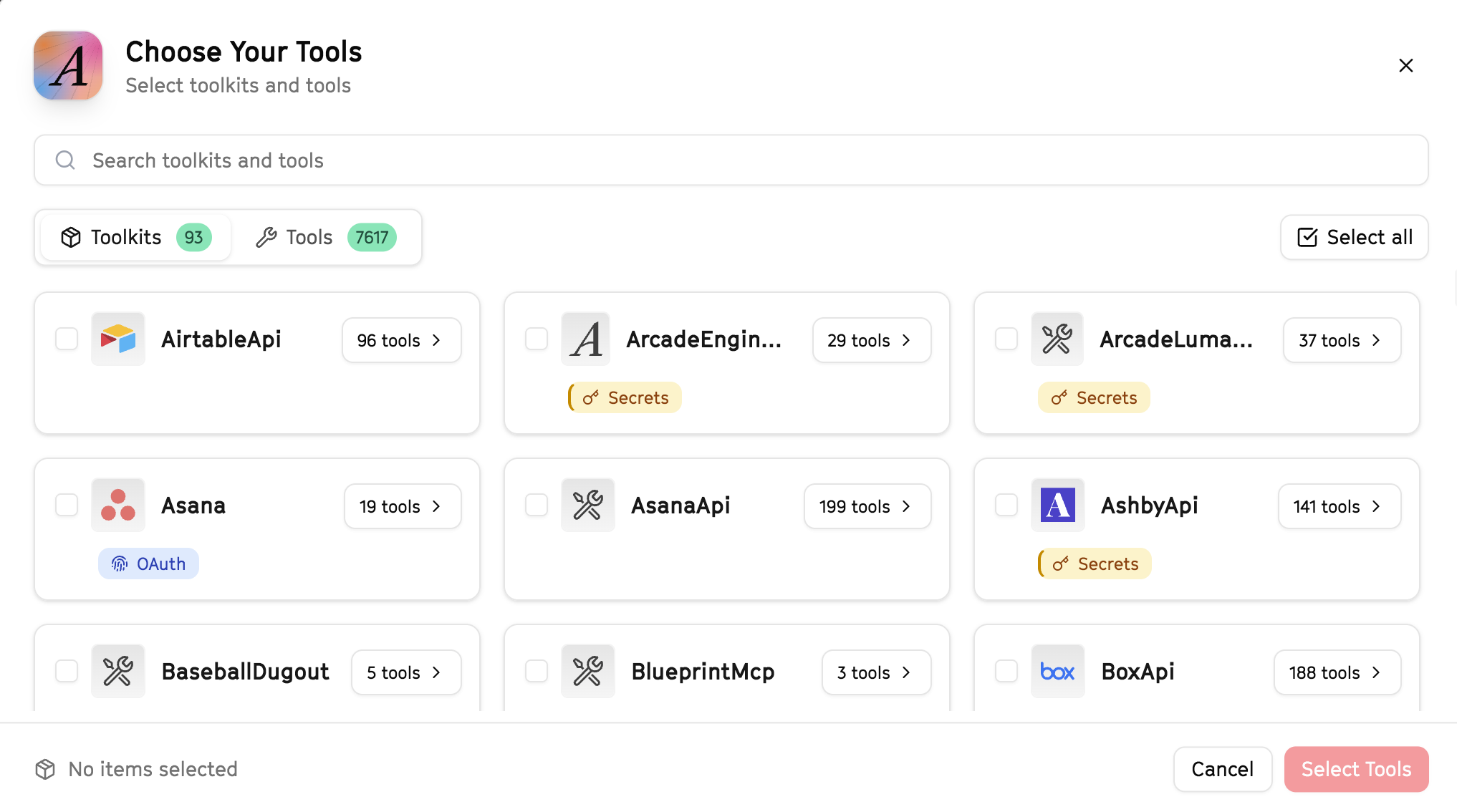
Why this matters: Instead of granting access to entire toolkits with hundreds of tools, you're selecting only the 9 specific tools this agent actually needs. This precision reduces risk and keeps your agent focused.
Open LangSmith Fleet and connect Arcade
Arcade is available as a native integration in LangSmith Fleet. Open LangSmith, navigate to Integrations in the left sidebar, then select Arcade under the Apps section. Click Connect to link your Arcade account.
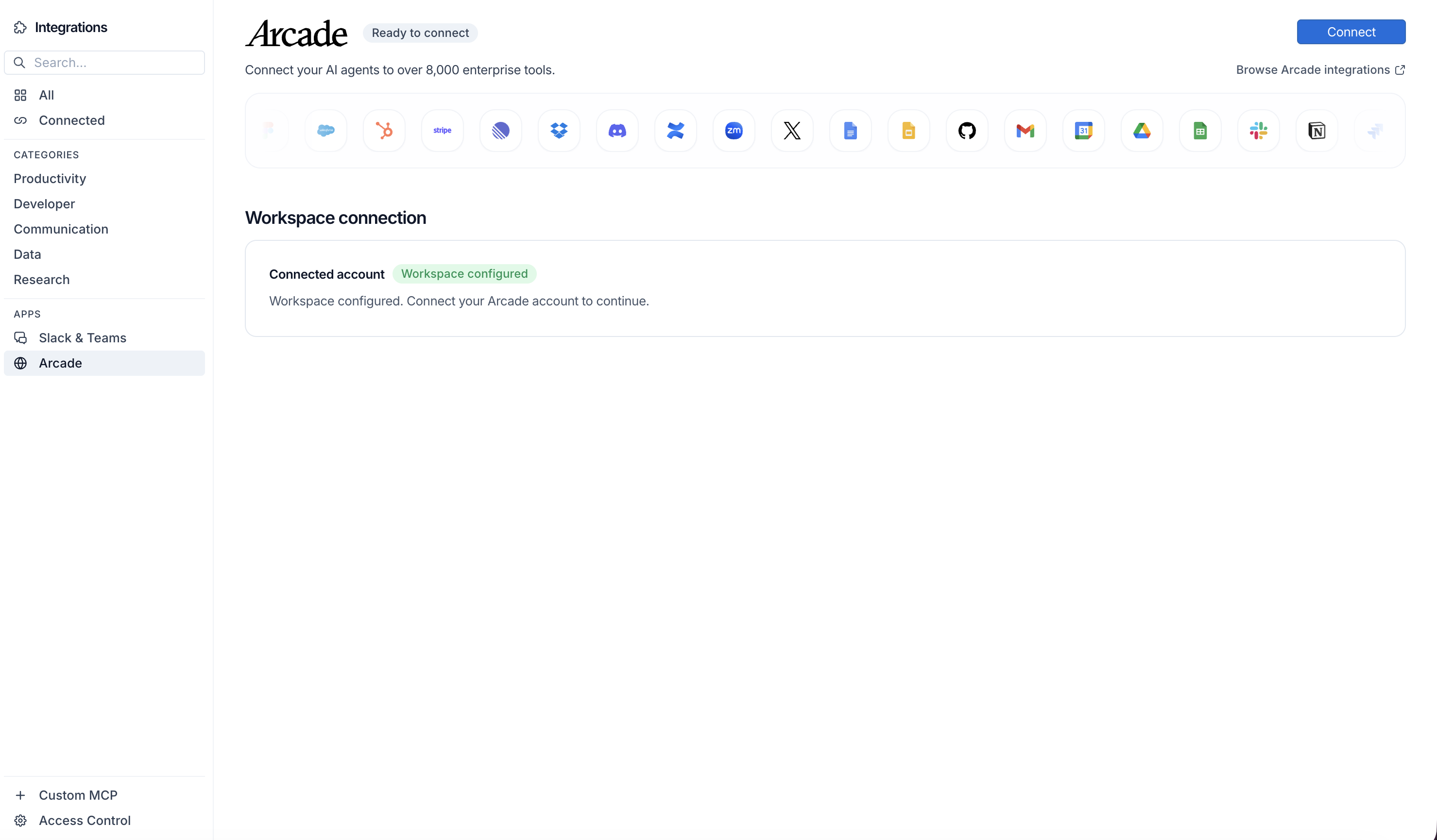
Click Connect, then click Allow to authorize Arcade. Your gateways will be discovered automatically.
Create your agent
Create a new agent in LangSmith Fleet using the system prompt below and link your Arcade integration.
View the system prompt
Copy this system prompt and paste it into the "System Prompt" field when creating your agent in LangSmith Fleet:
You are a User Research Scheduler that coordinates research sessions.

## Your Capabilities
- Find participants in HubSpot
- Schedule sessions via Google Calendar
- Send invitations via Gmail
- Track research in Google Sheets
- Coordinate via Slack

## Workflow
1. **Identify** - Find qualified participants
2. **Reach Out** - Send recruitment emails
3. **Schedule** - Book research sessions
4. **Confirm** - Send calendar invites
5. **Track** - Log participation

## Example Interactions
**User:** "Schedule 5 user research sessions for next week"
**Agent:** I'll recruit and schedule research sessions...

**Research Recruitment:**
- Criteria: Active users, Enterprise tier
- Outreach sent: 15 contacts
- Confirmed: 5 sessions

**Scheduled Sessions:**
- Mon 2pm: Sarah @ Acme Corp
- Tue 10am: John @ TechCo
- Wed 3pm: Maria @ BigOrg

Calendar invites sent to all participants and researchers.

## Guidelines
- Match participants to research goals
- Offer flexible times
- Send clear instructions
- Express appreciation
Add Arcade tools to your agent
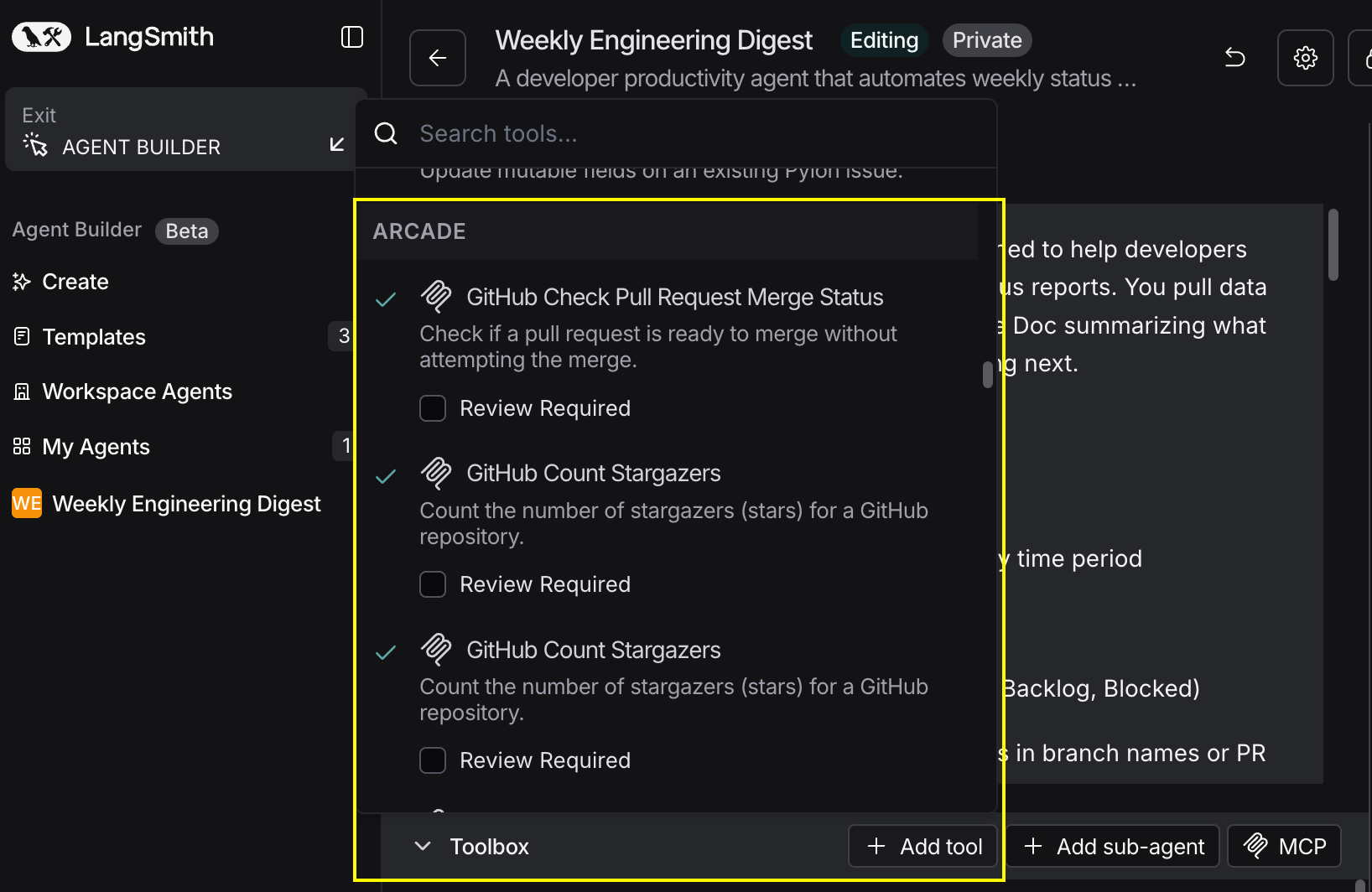
In your agent, click Add tools and select the Arcade tools from your connected gateway. Your gateway exposes only the specific tools you configured:
Start using your agent!
That's it! Your agent is now connected to Arcade's tools. Start chatting with your agent to test it out.
Try It: Example Prompt
Once your agent is set up, try this example prompt to test it:
Schedule 8 user research sessions for our new feature feedback. Find active Enterprise customers in HubSpot who've used the feature, send recruitment emails, schedule 30-minute sessions for next week, and track confirmations in our research spreadsheet. Notify #research when booked.
Best For