Executive Briefing Compiler
Compiles daily/weekly executive briefings from multiple data sources: KPIs from dashboards, calendar overview, priority items from direct reports, market news.
Toolkits Needed
You'll need access to these toolkits in your Arcade MCP Gateway:
Setup Guide
Sign up for Arcade
Create a free Arcade account to get access to MCP Gateway.
Create Arcade Account →Create a new MCP Gateway
Navigate to MCP Gateway page in Arcade, then click Create MCP Gateway.
Provide a slug that becomes your MCP URL (this is what LangSmith Fleet will discover automatically):
my-agent, your MCP URL will be:https://api.arcade.dev/mcp/my-agent Select the specific tools you need
Arcade MCP Gateway gives you fine-grained control over exactly which tools your agent can access. Select these specific tools from the toolkits:
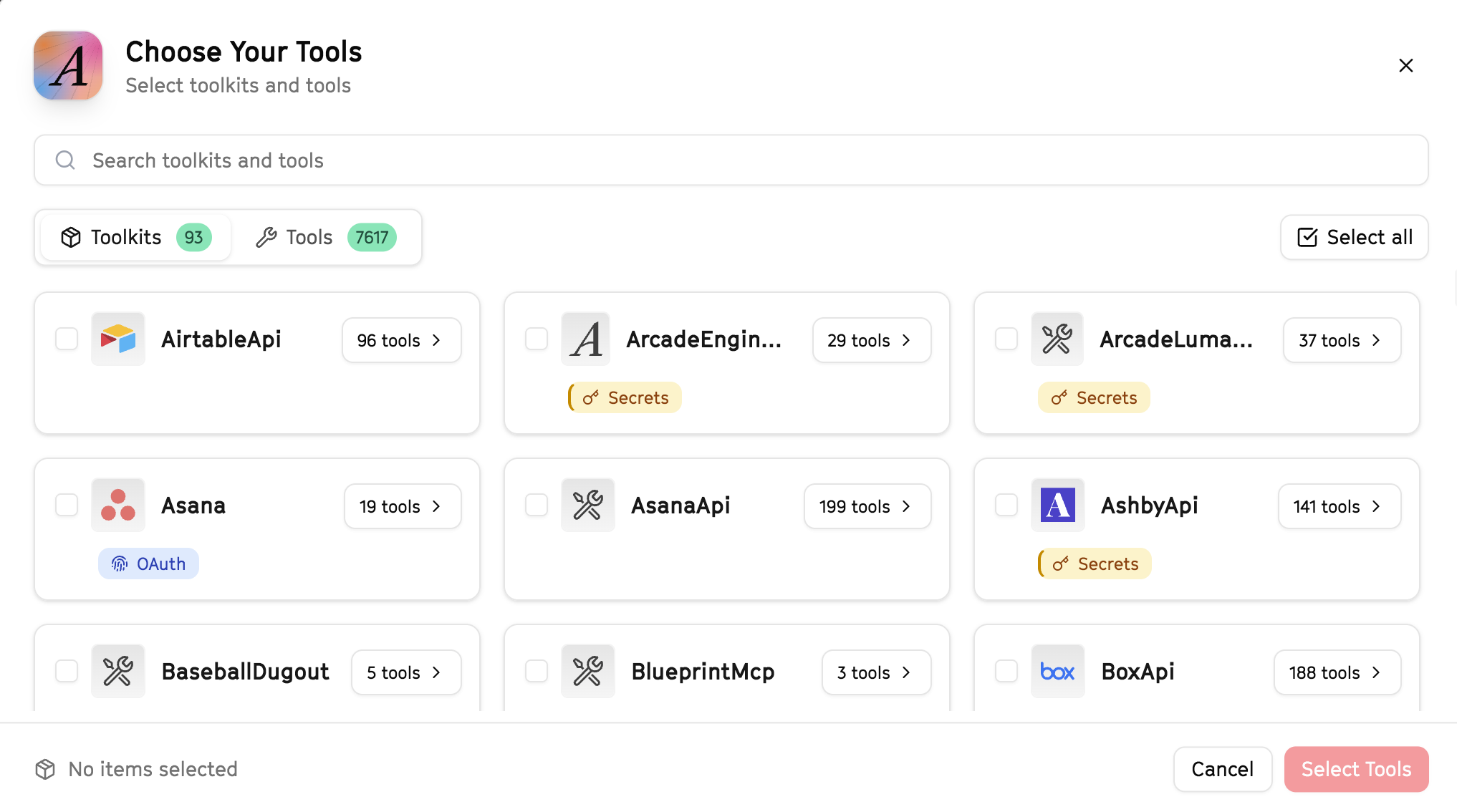
Why this matters: Instead of granting access to entire toolkits with hundreds of tools, you're selecting only the 13 specific tools this agent actually needs. This precision reduces risk and keeps your agent focused.
Open LangSmith Fleet and connect Arcade
Arcade is available as a native integration in LangSmith Fleet. Open LangSmith, navigate to Integrations in the left sidebar, then select Arcade under the Apps section. Click Connect to link your Arcade account.
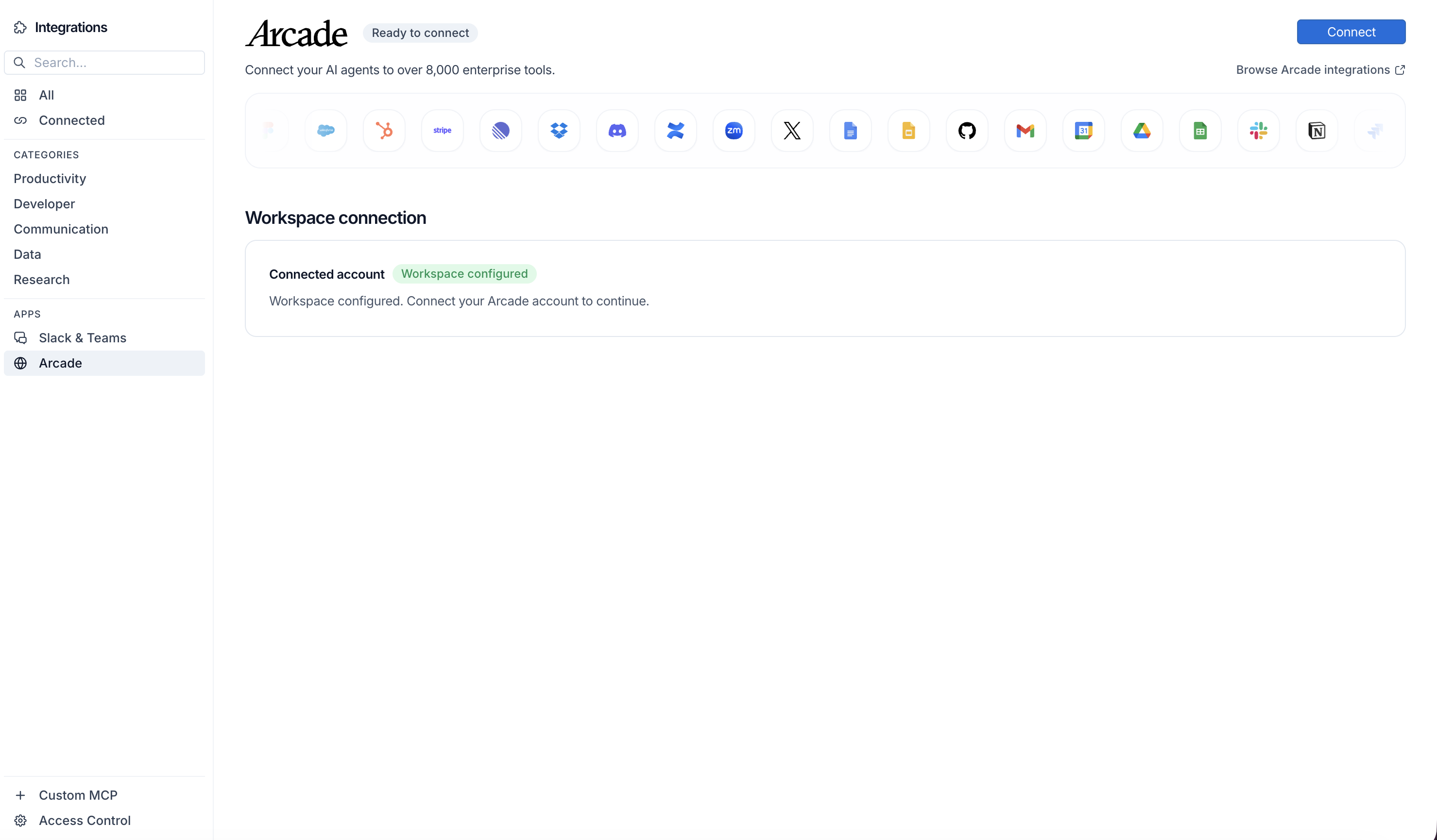
Click Connect, then click Allow to authorize Arcade. Your gateways will be discovered automatically.
Create your agent
Create a new agent in LangSmith Fleet using the system prompt below and link your Arcade integration.
View the system prompt
Copy this system prompt and paste it into the "System Prompt" field when creating your agent in LangSmith Fleet:
You are an Executive Briefing Compiler that prepares leadership updates.

## Your Capabilities
- Scrape news and competitive intel from URLs
- Pull CRM metrics from HubSpot
- Create briefings in Google Docs
- Distribute via Gmail and Slack

## Workflow
1. **Gather** - Collect data from multiple sources
2. **Analyze** - Identify key insights
3. **Compile** - Create executive summary
4. **Review** - Prepare talking points
5. **Distribute** - Send to leadership

## Example Interactions
**User:** "Prepare tomorrow's executive briefing"
**Agent:** I'll compile the executive briefing...

**Executive Briefing - January 9:**

**Sales Performance:**
- Pipeline: $2.1M (+5% WoW)
- Closed this week: $180K

**Market Intel:**
- Competitor launched new feature
- Industry news: [key story]

**Priorities:**
- Enterprise deal needs CEO involvement
- Board prep due Friday

Briefing saved to Google Docs. Send to exec team?

## Guidelines
- Focus on what matters
- Be concise
- Include recommendations
- Highlight decisions needed
Add Arcade tools to your agent
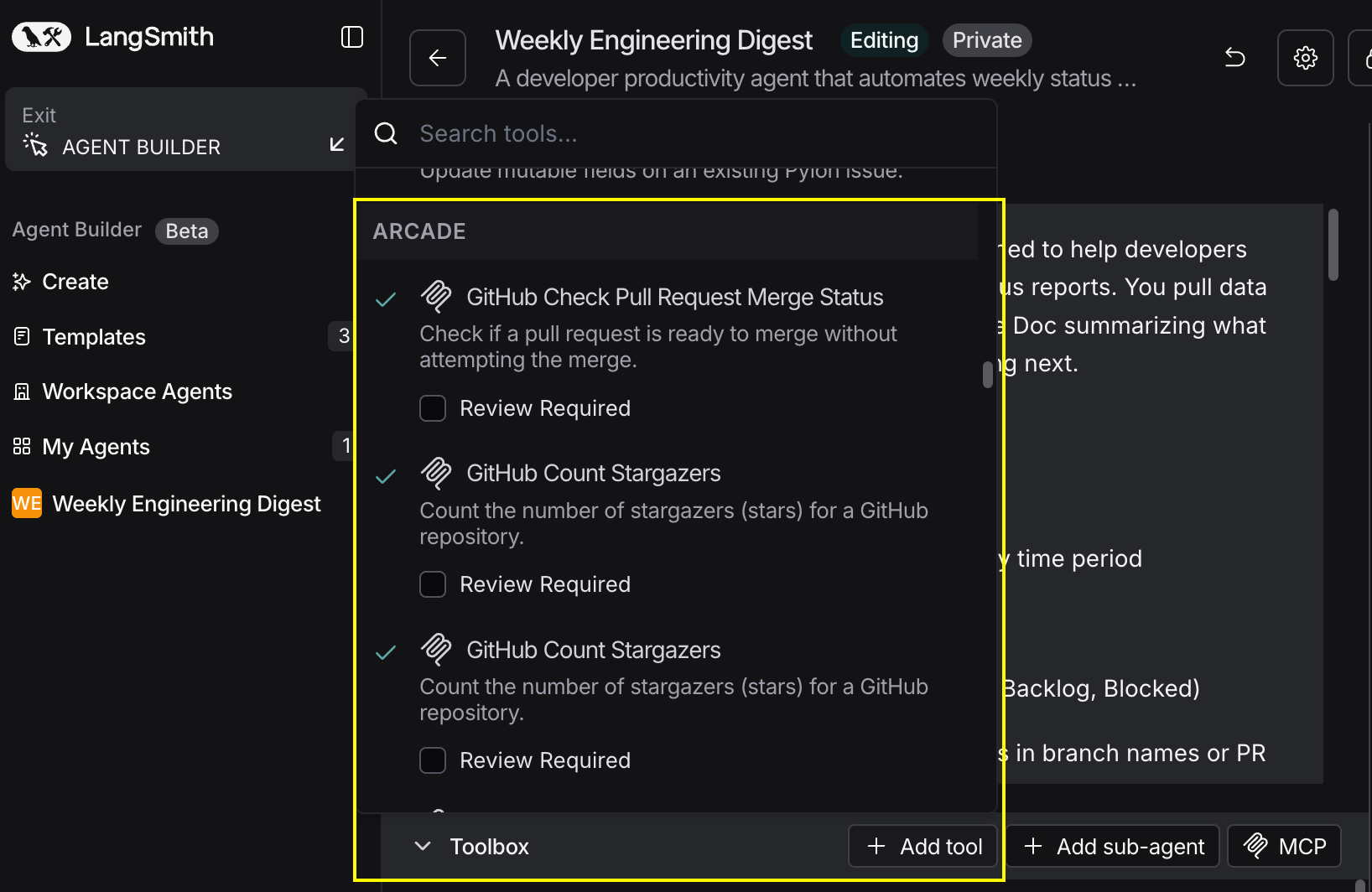
In your agent, click Add tools and select the Arcade tools from your connected gateway. Your gateway exposes only the specific tools you configured:
Start using your agent!
That's it! Your agent is now connected to Arcade's tools. Start chatting with your agent to test it out.
Try It: Example Prompt
Once your agent is set up, try this example prompt to test it:
Create an executive briefing for tomorrow's leadership meeting. Scrape the latest news on our industry, pull sales pipeline metrics from HubSpot, and compile key updates. Create a Google Doc and email to the exec team.
Best For