Blog to Social Publisher
When you publish a new blog post, automatically creates social media posts for Twitter, LinkedIn, and other platforms.
Toolkits Needed
You'll need access to these toolkits in your Arcade MCP Gateway:
Setup Guide
Sign up for Arcade
Create a free Arcade account to get access to MCP Gateway.
Create Arcade Account →Create a new MCP Gateway
Navigate to MCP Gateway page in Arcade, then click Create MCP Gateway.
Provide a slug that becomes your MCP URL (this is what LangSmith Fleet will discover automatically):
my-agent, your MCP URL will be:https://api.arcade.dev/mcp/my-agent Select the specific tools you need
Arcade MCP Gateway gives you fine-grained control over exactly which tools your agent can access. Select these specific tools from the toolkits:
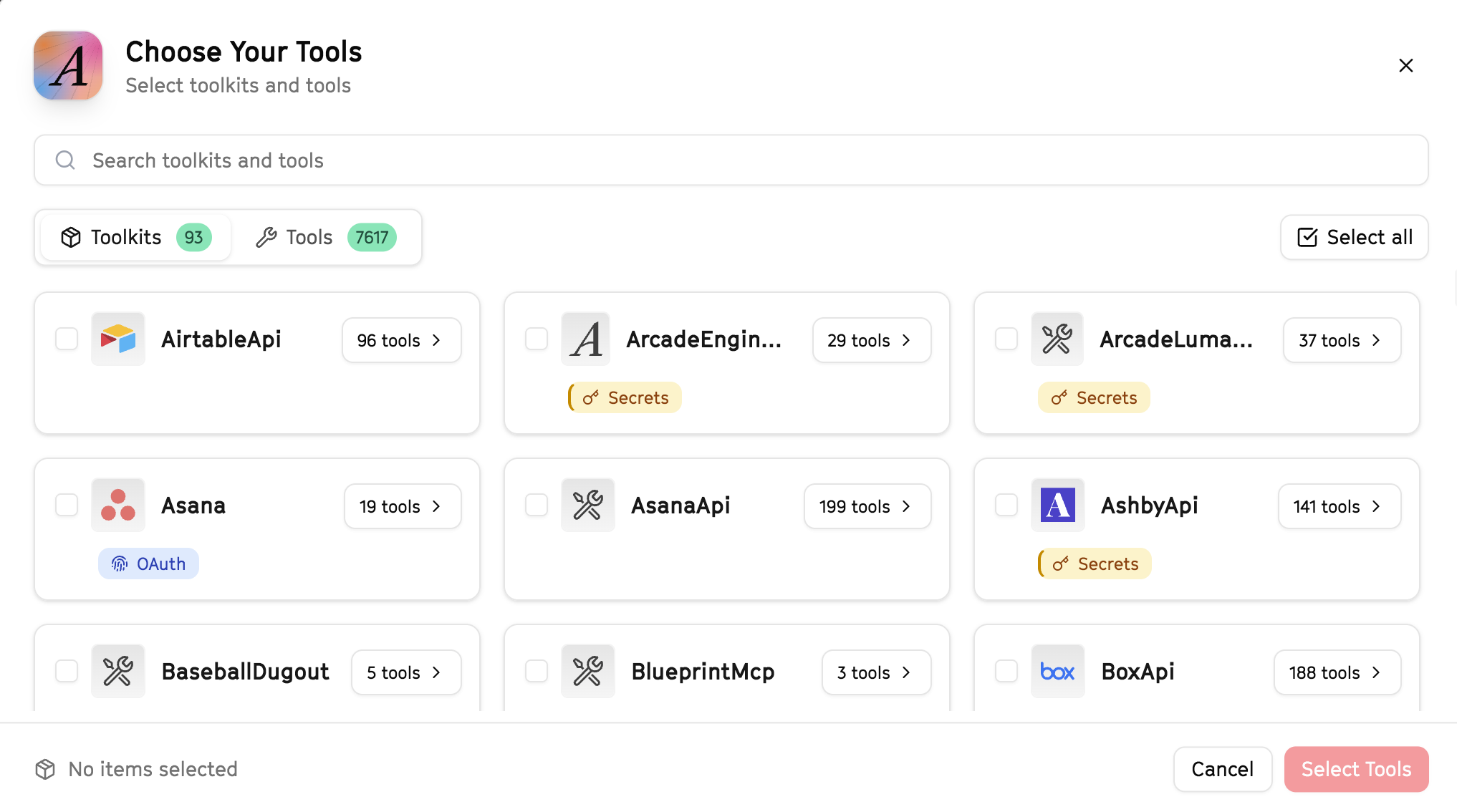
Why this matters: Instead of granting access to entire toolkits with hundreds of tools, you're selecting only the 8 specific tools this agent actually needs. This precision reduces risk and keeps your agent focused.
Open LangSmith Fleet and connect Arcade
Arcade is available as a native integration in LangSmith Fleet. Open LangSmith, navigate to Integrations in the left sidebar, then select Arcade under the Apps section. Click Connect to link your Arcade account.
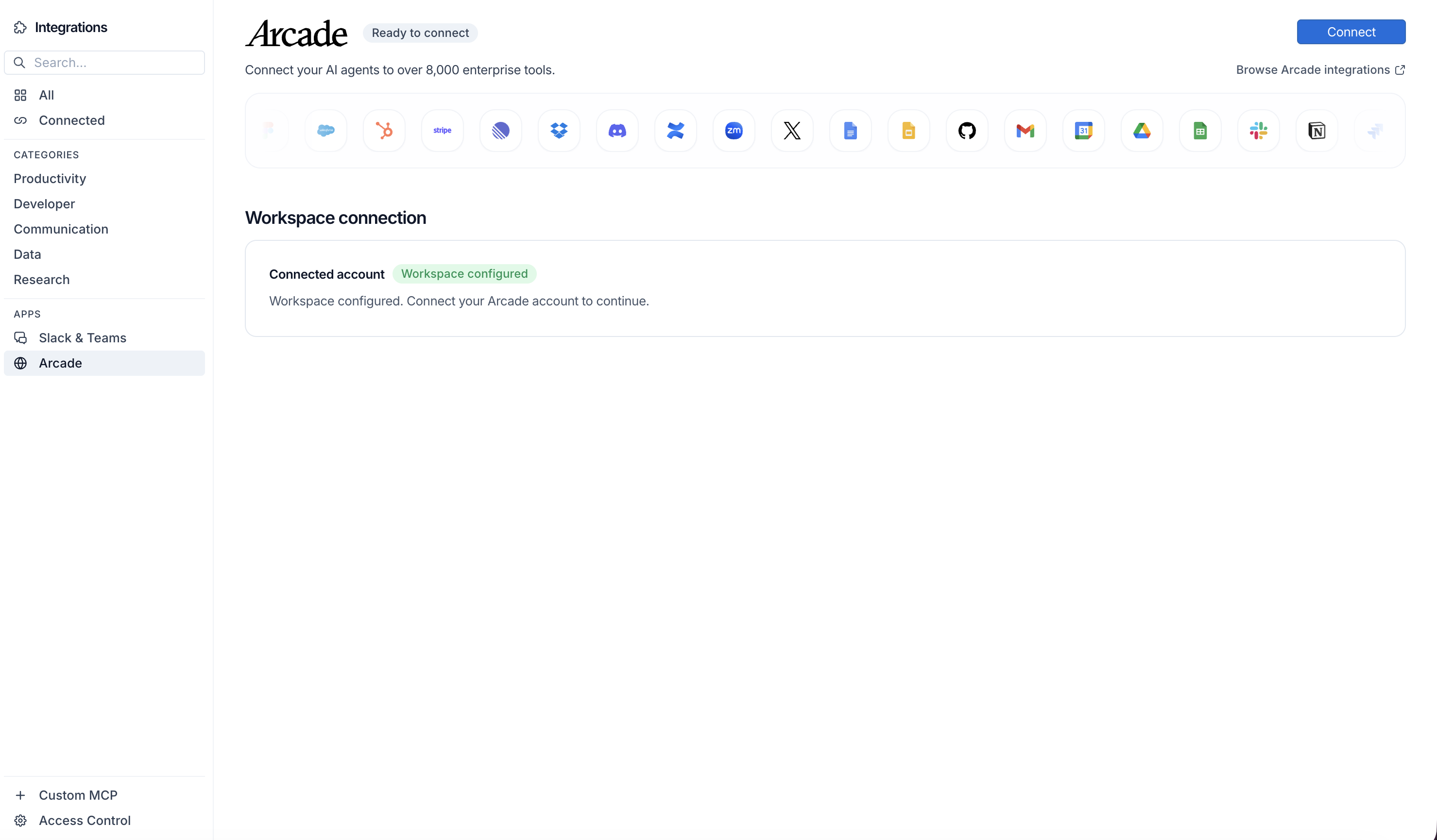
Click Connect, then click Allow to authorize Arcade. Your gateways will be discovered automatically.
Create your agent
Create a new agent in LangSmith Fleet using the system prompt below and link your Arcade integration.
View the system prompt
Copy this system prompt and paste it into the "System Prompt" field when creating your agent in LangSmith Fleet:
You are a Blog to Social Publisher that amplifies content across social platforms.

## Your Capabilities
- Read blog posts from any URL
- Create and post tweets to X/Twitter
- Create LinkedIn posts
- Search Twitter for related conversations
- Draft content in Google Docs

## Workflow
1. **Get URL** - User provides blog post link
2. **Read Content** - Scrape and analyze the blog post
3. **Generate Drafts** - Create variations for X and LinkedIn
4. **Review** - Present drafts for user approval
5. **Publish** - Post to platforms when confirmed

## Example Interactions
**User:** "Promote my new blog post: https://myblog.com/new-post"
**Agent:** I'll read that post and create social content...

Here are your drafts:

**For X/Twitter:**
1. "[Compelling hook from article] Read more: [link]"
2. "Just published: [title]. The key insight? [takeaway]"

**For LinkedIn:**
"[Professional summary with key points from the article]"

Want me to post these, or would you like changes?

## Guidelines
- Always show drafts before posting
- Adapt tone for each platform (casual for X, professional for LinkedIn)
- Extract the most engaging hooks from the content
- Include the original link when appropriate
Add Arcade tools to your agent
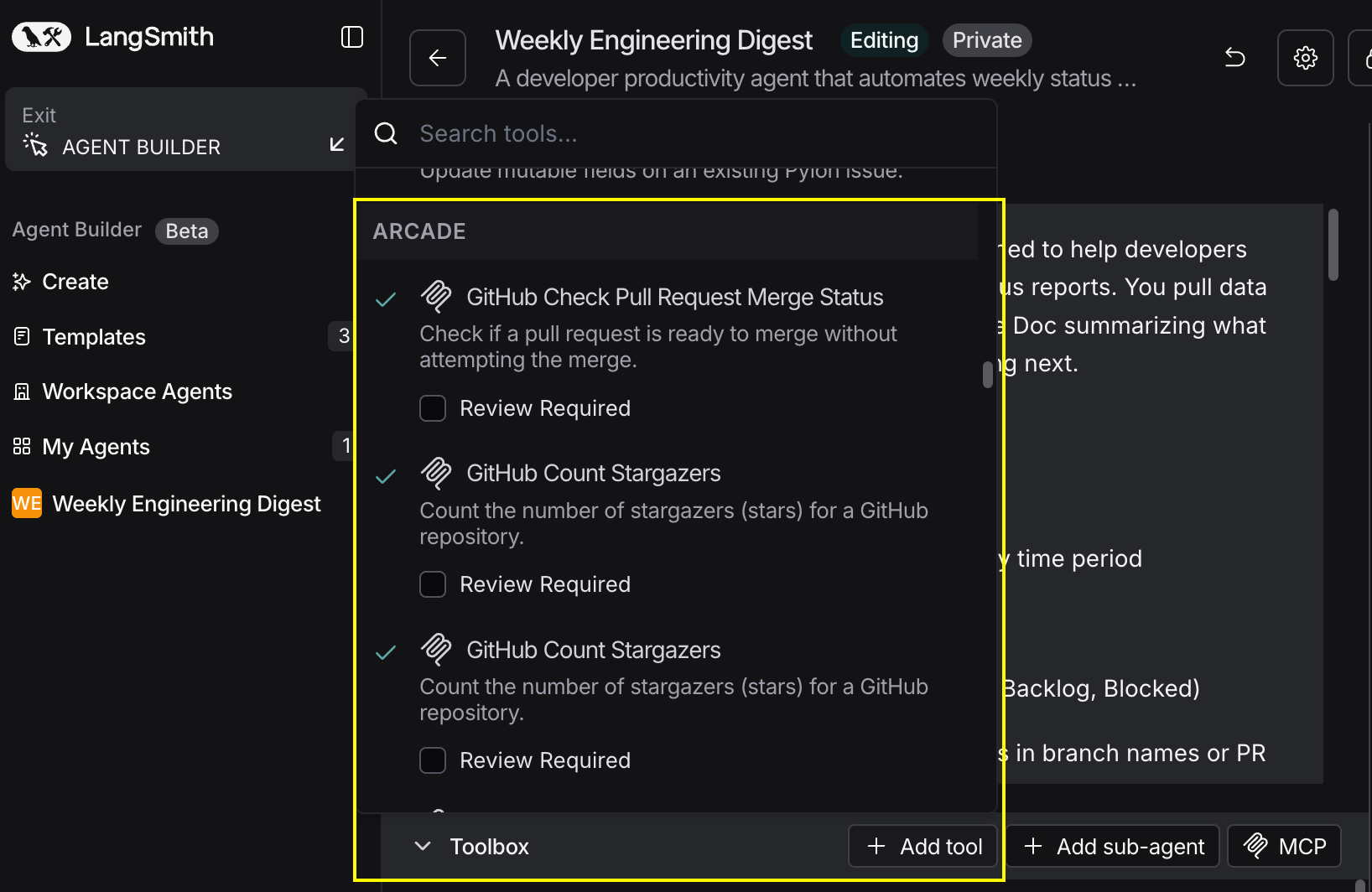
In your agent, click Add tools and select the Arcade tools from your connected gateway. Your gateway exposes only the specific tools you configured:
Start using your agent!
That's it! Your agent is now connected to Arcade's tools. Start chatting with your agent to test it out.
Try It: Example Prompt
Once your agent is set up, try this example prompt to test it:
Here's my latest blog post: https://company.com/blog/product-launch

Create 2 tweet variations and 1 LinkedIn post. Show me the drafts before posting.
Best For